
AI images and video for ads: what's allowed and what converts
When AI images and video are safe to use in ads, which platform and FTC rules to watch, and why real photos of your business still earn more trust.
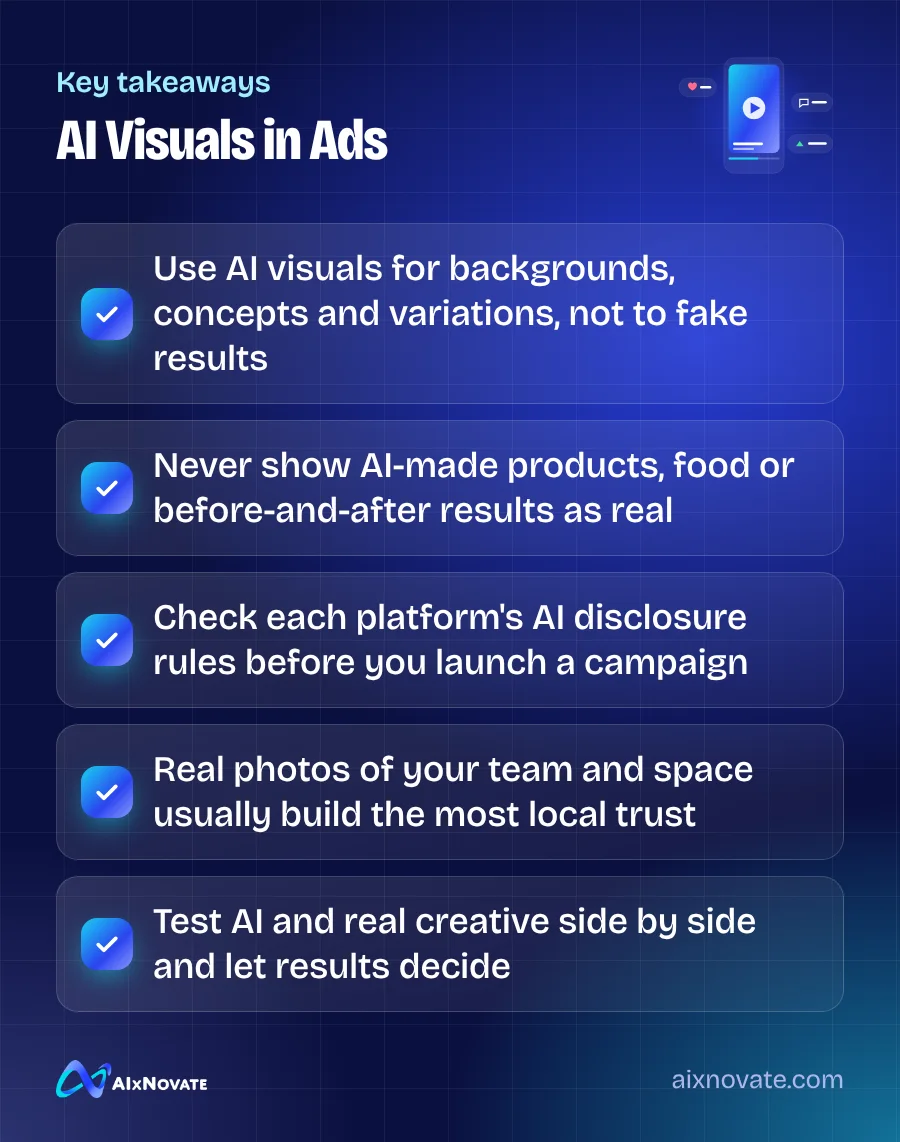
AI images and video for ads are allowed on major platforms in most cases, but they must not mislead. Use AI for backgrounds, concepts, resizing and quick variations; never use it to show products, food, results or customers that do not exist. Platforms also require disclosure for certain realistic AI content, so check the rules for each campaign.
This article is for local business owners and marketers who run or plan to run Facebook, Instagram, Google, YouTube or TikTok ads and want to save time on creative without risking rejected ads, angry customers or legal trouble.
Why AI visuals are tempting for small business ads
Ad platforms reward fresh creative. Running the same image for months usually wears thin, and producing new photos and videos every few weeks is expensive for a small team. AI tools can generate backgrounds, extend a photo to fit a vertical format, remove clutter, create concept art and draft short video clips in minutes.
Those are real benefits. The problem starts when the speed tempts you to replace reality instead of supporting it. A customer who books a facial because of an AI-perfect result, or orders a dish that looks nothing like the ad, will not come back, and may leave a review saying so.
What's allowed: platform rules for AI images and video for ads
Each platform publishes its own advertising standards, and they change frequently. As general patterns to check against the current policies:
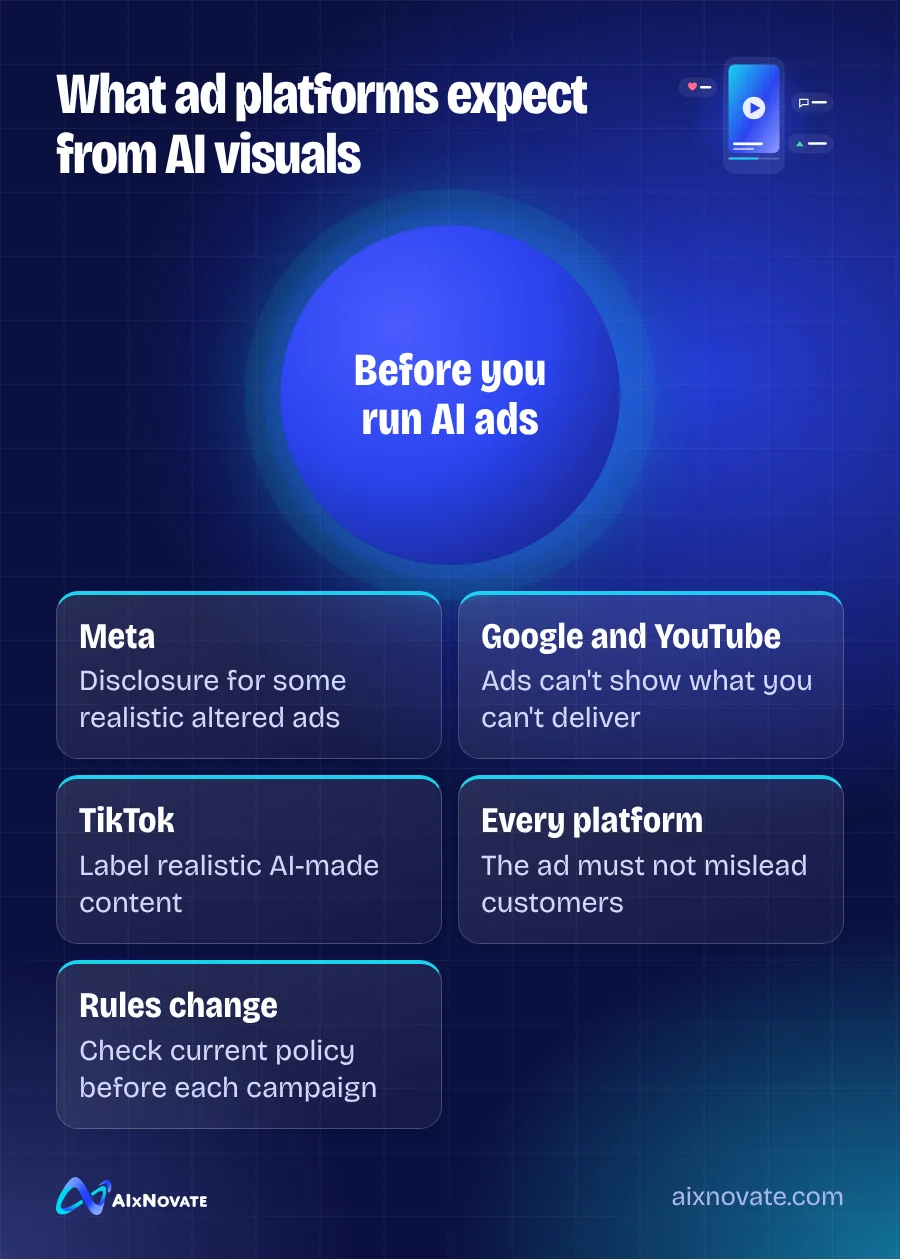
- Meta (Facebook and Instagram). Meta has disclosure requirements for certain ads, notably political and social issue ads, that contain realistic content that was digitally created or altered. It may also apply AI labels to some content. Start in the Meta Business Help Center and search for its current AI and ad policies.
- Google and YouTube. Google requires disclosure of synthetic content in election ads and applies its standard misrepresentation policies to all ads. An ad that shows something your business cannot deliver can be disapproved regardless of how it was made.
- TikTok. TikTok asks creators to label realistic AI-generated content and has its own ad policies; check TikTok for Business for the latest requirements.
Most local businesses are not running political ads, so the bigger everyday risk is the general rule that ads must not be deceptive.
Truth in advertising still applies
In the U.S., the Federal Trade Commission expects advertising to be truthful and not misleading, and that does not change because an image came from a tool. The FTC's guidance on endorsements, influencers and reviews is especially relevant: testimonials should reflect the honest experience of real customers. An AI-generated person saying "this changed my skin" is a fabricated endorsement.
A few rules of thumb (general information, not legal advice):
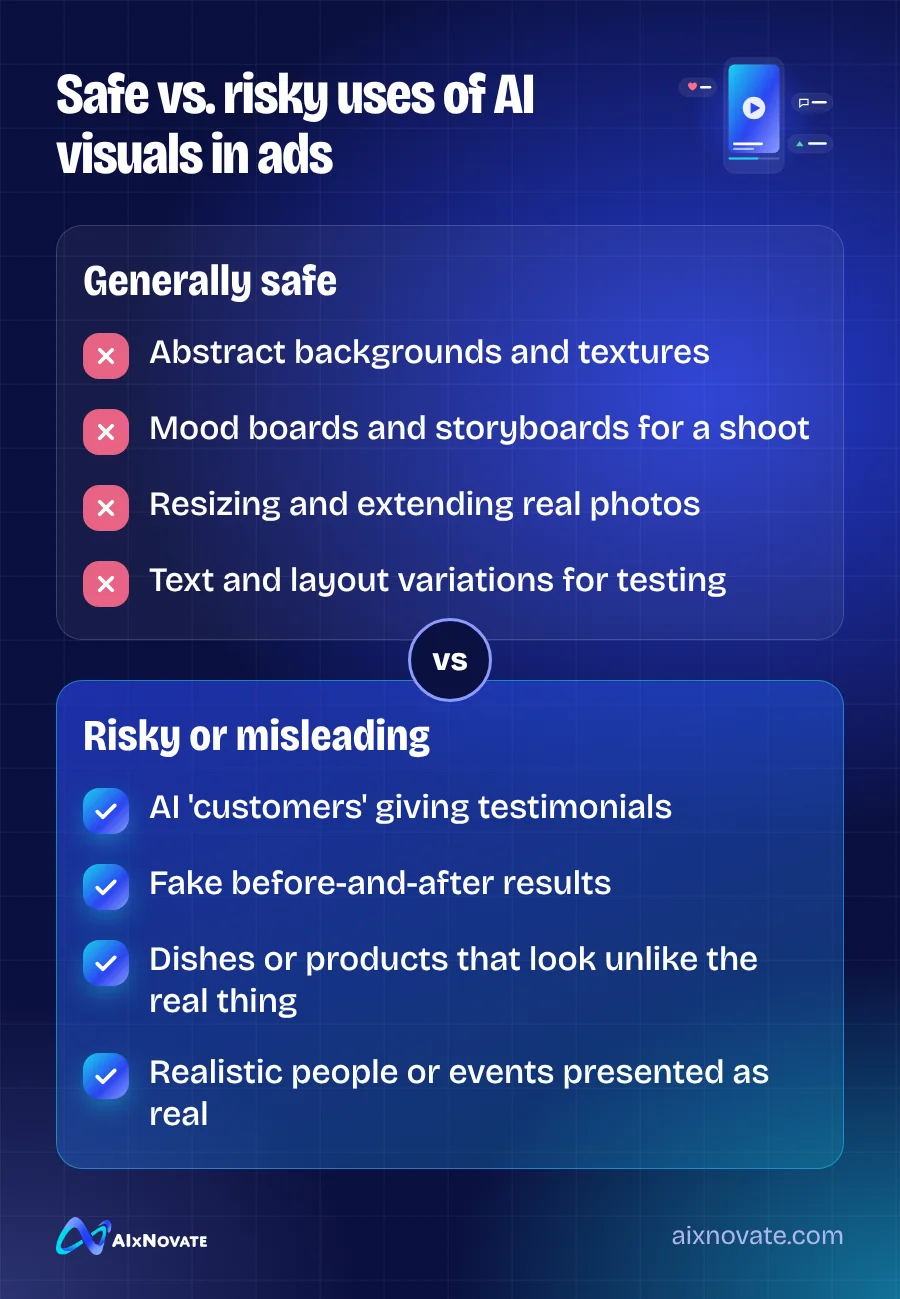
- Do not show AI-generated before-and-after images for treatments, fitness, dental or cosmetic services.
- Do not use AI food or product images that look better, bigger or different than what customers receive.
- Do not create fake customers, staff or crowds and present them as real.
- If you use an AI-generated character as a mascot or illustration, make sure it is obviously illustrative.
Med spas and clinics face extra scrutiny from platforms and regulators. If that is your industry, our med spa marketing program is built around these compliance limits rather than around them as an afterthought.
What actually converts for local businesses
We cannot give you a universal conversion rate, and you should be wary of anyone who claims AI visuals always win or always lose. What we can say from practice is that local purchases are trust decisions. People want to see where they will sit, who will cut their hair, what the bowl of pho really looks like.
That is why the strongest pattern for small businesses is usually real footage, improved with AI, not AI footage pretending to be real:
| Task | Good use of AI | Keep it real |
|---|---|---|
| Restaurant ad | Clean up background, resize for Stories | The actual dish, plated by your kitchen |
| Salon or spa ad | Text overlays, color correction, layout variants | Your stylists, your space, real client work shared with consent |
| Contractor ad | Storyboard a video, draft captions | Photos of completed jobs and your crew |
| Retail promotion | Seasonal background scenes | Products exactly as sold |
Simple phone video of a real person explaining one thing often holds attention better than polished stock-style visuals. AI can help write the script and suggest hooks; your team supplies the face.
How to test AI creative fairly
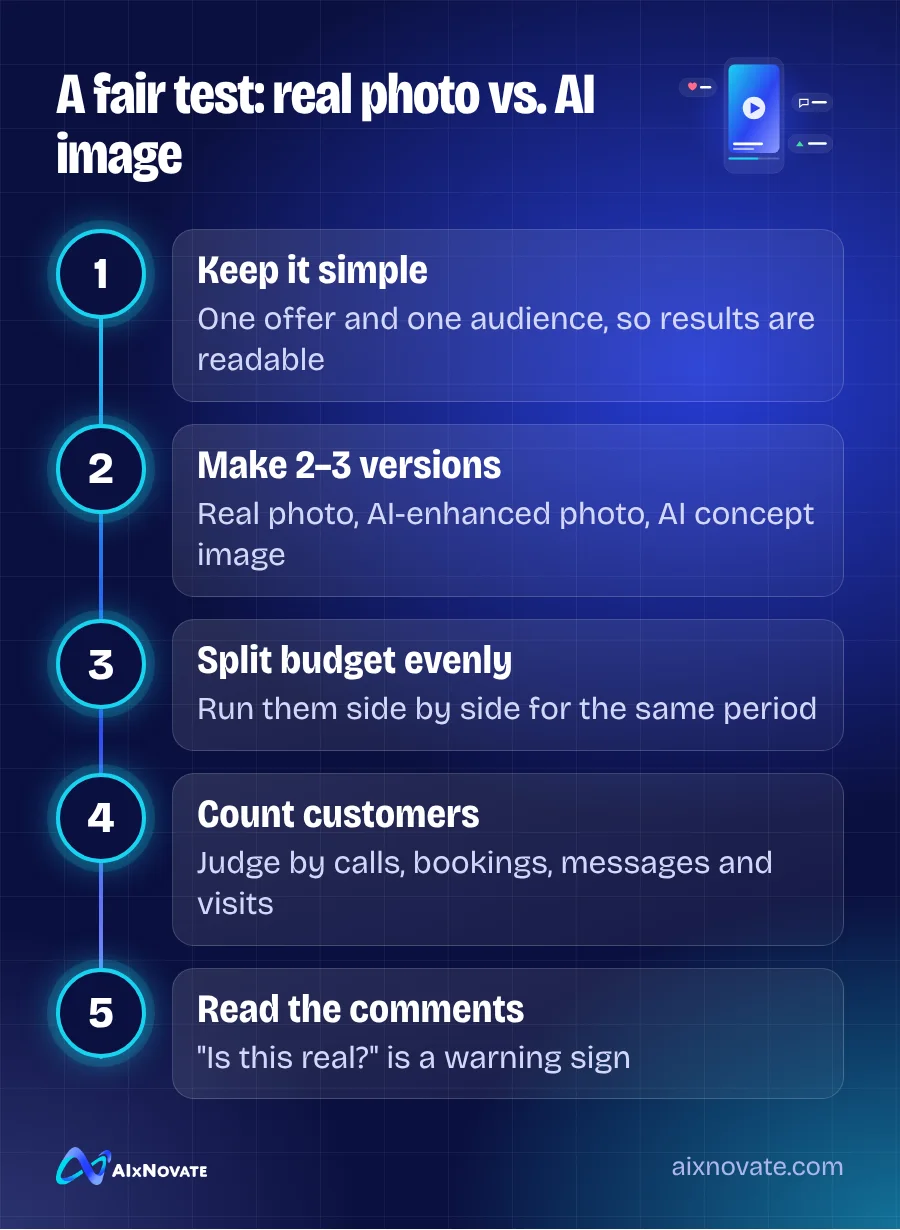
- Pick one offer and one audience. Changing too many things at once makes results impossible to read.
- Create two or three versions. For example, a real photo, the same photo enhanced with AI, and an AI-generated concept image.
- Use the platform's testing tools or run versions in the same ad set with an even budget for a set period.
- Judge by the business result. Calls, bookings, messages and store visits matter more than clicks or likes.
- Read the comments. If people ask "is this real?" or point out that something looks off, that is a warning sign even if click rates look fine.
Automated campaign types on Google and Meta increasingly mix and match your creative for you, so the quality of what you upload matters. See Performance Max and Advantage+ explained for how those systems use your images and videos.
Local tips for Garden Grove and Orange County
Orange County audiences are diverse, and visuals carry cultural meaning. AI image tools can get details wrong: lettering that looks almost like Vietnamese or Chinese but is gibberish, clothing or food that mixes cultures, holiday imagery in the wrong style for Tết or Lunar New Year. If an ad targets Little Saigon or a Korean, Chinese or Hispanic audience, have someone from that community review the visual before it runs.
Local events are another place where real footage wins. Clips from your booth at a community festival or a busy Saturday at your shop show that you are part of the neighborhood. Our guide to social media marketing in Garden Grove has more ideas for capturing that kind of content, and planning a month of posts with AI shows how to schedule it.
Frequently asked questions
Do I have to label AI images in my ads?
It depends on the platform and the ad category. Meta and Google require disclosure for realistic digitally created or altered content in political, election or social issue ads, and platforms may label some AI content automatically. For ordinary product or service ads, the key rule is that the ad must not mislead. Check each platform's current policy before launching, because these rules are updated often.
Can I use AI-generated people in my ads?
You can use clearly illustrative AI characters in many cases, but presenting an AI-generated person as a real customer, patient or employee is misleading. Never use AI people to give testimonials or show results. For trust and compliance, real staff and real customers who have given written permission are the safer choice for local business ads.
Who owns AI-generated images?
Ownership and copyright for AI-generated images are still unsettled. The U.S. Copyright Office has indicated that material generated entirely by AI, without meaningful human authorship, may not be eligible for copyright protection. Read the terms of your AI tool, avoid prompts that copy a specific artist or brand, and consult an attorney if exclusive rights matter for your campaign.
If you want help building ad creative that is fast to produce and still honest, book a free consultation, or see how our digital and social media marketing team plans campaigns.