
AI social media content calendar: plan a month in one afternoon
A step-by-step afternoon routine for building an AI social media content calendar: content pillars, prompts, batch photos, review and scheduling.
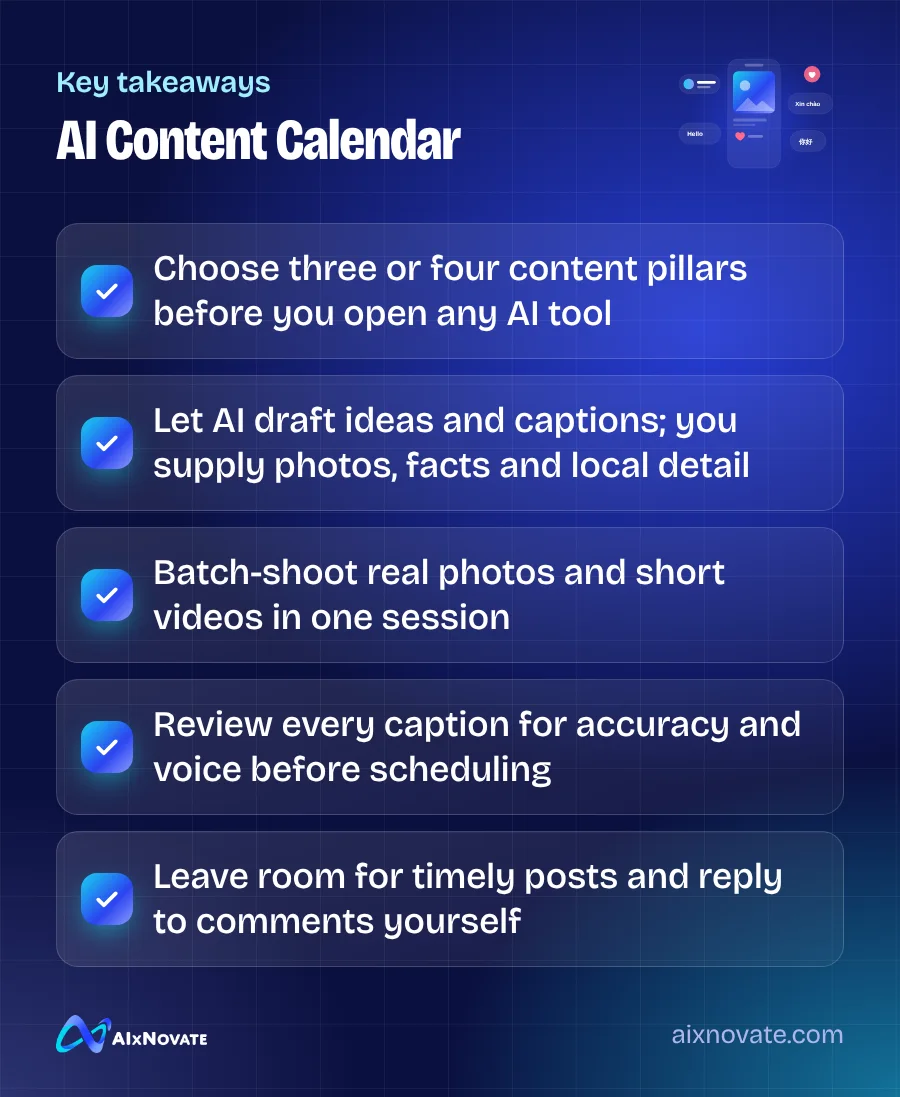
You can plan a month of social posts in one afternoon by building an AI social media content calendar around three or four content pillars, asking AI for post ideas and caption drafts, batch-shooting real photos, then editing and scheduling everything in one sitting. AI handles the blank page; you handle facts, photos and voice.
This guide is for owners and managers of restaurants, salons, clinics, shops and service businesses who know they should post consistently but never find the time. It assumes no special software beyond a general AI assistant, your phone camera and a free or low-cost scheduler.
What you need for an AI social media content calendar
- A general AI assistant (ChatGPT, Gemini, Claude or similar).
- A short brand brief: who you serve, your services, tone, words to avoid and two or three example posts you like.
- Your calendar for next month: promotions, holidays you observe, local events and staff schedules.
- A scheduler. Meta's built-in planning tools cover Facebook and Instagram; other tools add TikTok and Google Business Profile.
- About four hours with as few interruptions as possible.
Step 1: Choose content pillars (30 minutes)
Content pillars are the three or four recurring themes your posts rotate through. They stop you from posting the same promotion every day and make AI prompts far more useful.
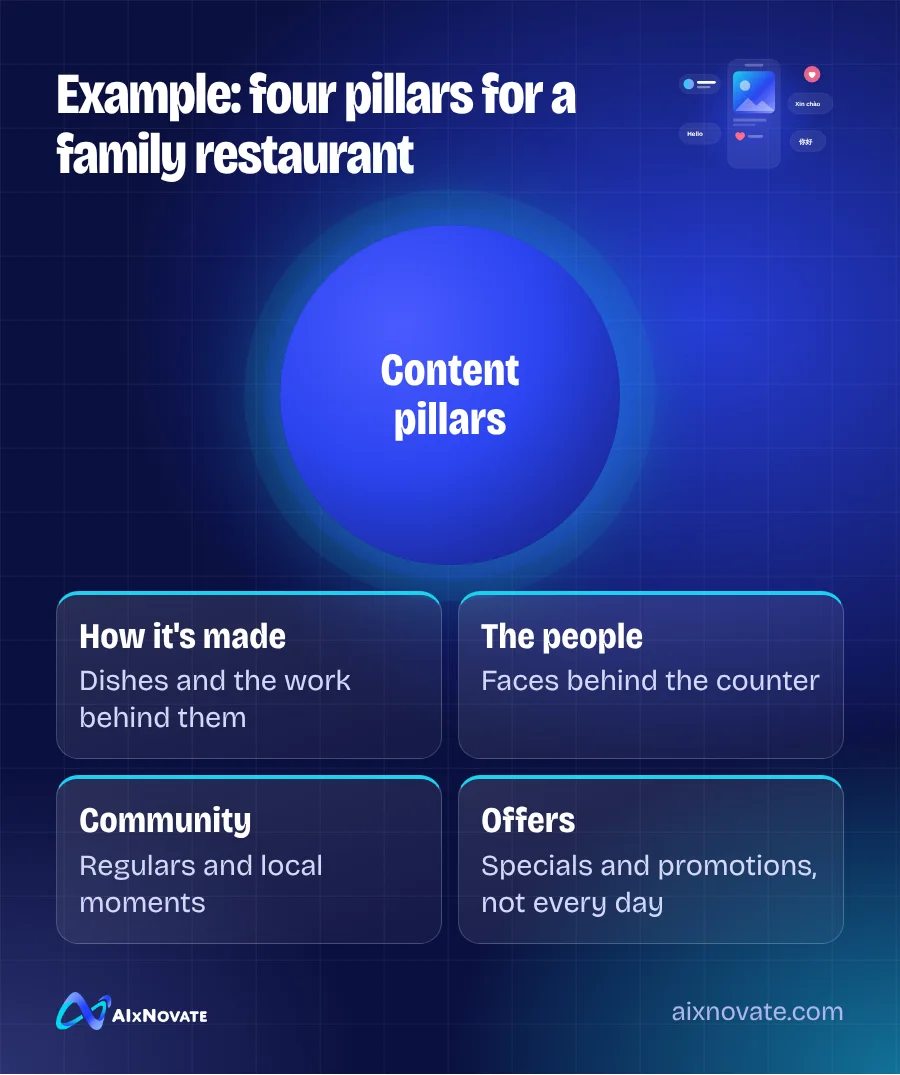
For a family restaurant, pillars might be: dishes and how they're made, the people behind the counter, regulars and community, and offers. For a med spa: education, behind the scenes, team expertise, and booking reminders. For a contractor: finished projects, tips for homeowners, the crew, and seasonal reminders.
Then list the key dates for the month. In Garden Grove that could include Tết or Lunar New Year, Mother's Day, back-to-school, or the annual Garden Grove Strawberry Festival. Our guide to marketing around Garden Grove local events has more ideas.
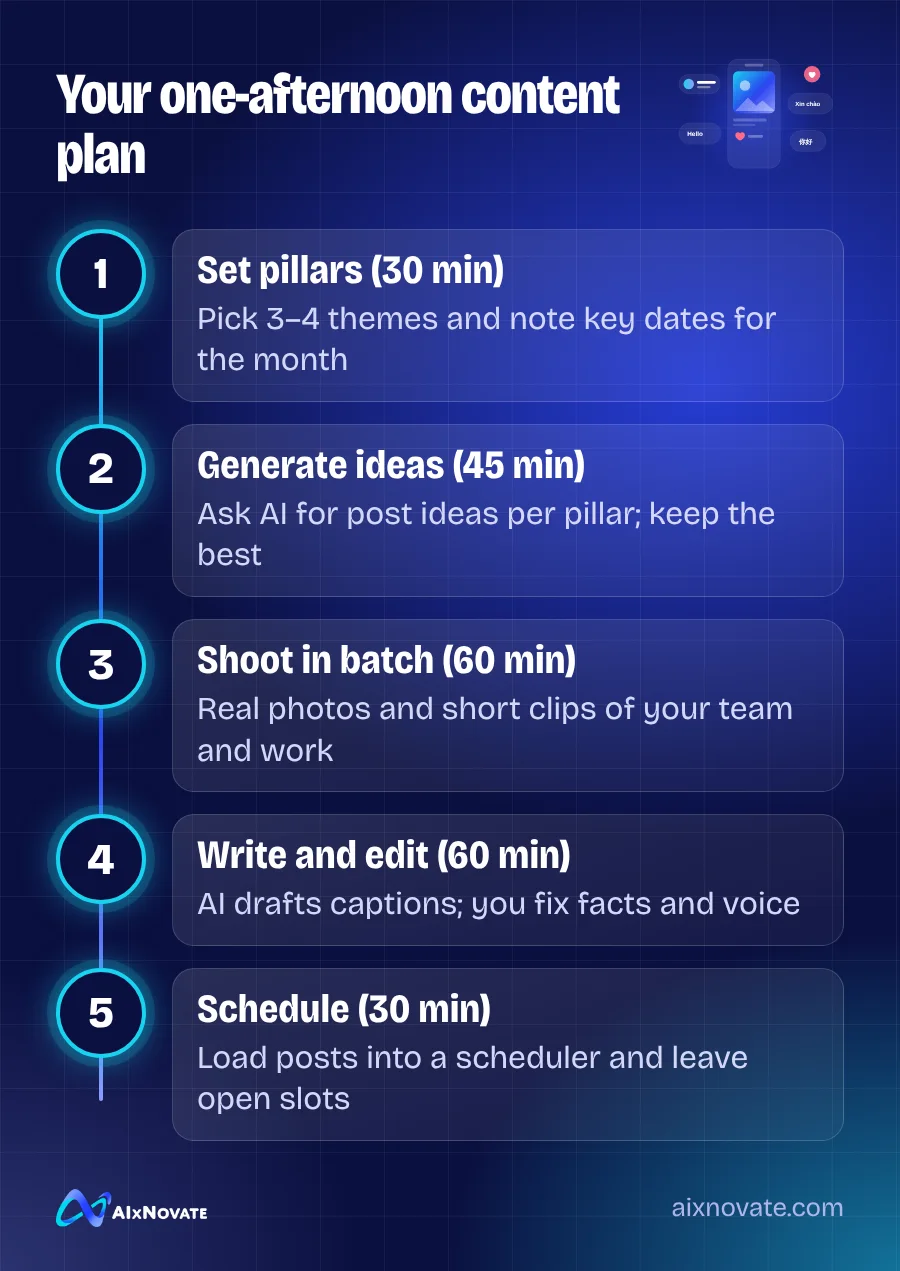
Step 2: Generate post ideas with AI (45 minutes)
Paste your brand brief and pillars into the AI tool and ask for ideas, not finished posts. A prompt that works well:
Using the brand brief above, suggest 8 post ideas for each of these pillars for next month: [pillars]. Our audience is [describe]. Key dates: [list]. For each idea give a one-line hook and the photo or video we would need. Avoid generic motivational posts and hype words.
You will get more ideas than you need. Pick the ones that fit what you can actually photograph and what your customers care about. A realistic target for most small businesses is three to five posts a week, not one or two a day.
Lay the chosen ideas into a simple calendar so pillars rotate:
| Week | Mon | Wed | Fri |
|---|---|---|---|
| 1 | How it's made | Meet the team | Weekend offer |
| 2 | Customer question | Behind the scenes | Local event |
| 3 | How it's made | Customer story (with permission) | Weekend offer |
| 4 | Tip or education | Meet the team | Next month preview |
Step 3: Batch-shoot real photos and video (60 minutes)
This is the step AI cannot do for you, and the one that makes your feed believable. Walk through your shot list in one session: dishes being plated, a stylist finishing a set, a technician arriving at a job, your storefront at golden hour. Shoot vertical video clips of 10–20 seconds as well as photos.
Get written permission before featuring customers. Use natural light where you can, and keep the background tidy. AI editing tools can help with cropping, color correction and removing distractions, but avoid changing what the product or result actually looks like.
Step 4: Draft and edit captions (60 minutes)
Now ask the AI to draft captions for each scheduled post, one week at a time. Give it the photo description, the pillar, any facts (price, date, dish name) and the call to action. Ask for short captions and two options per post.
Then edit every caption. Check names, prices, dates and hours. Remove stock phrases. Add one detail only your business would know. If you post in Vietnamese, Spanish or Chinese, have a fluent staff member review those versions. Our guide on using ChatGPT without sounding like a robot has a quick editing checklist.
Step 5: Schedule and leave room (30 minutes)
Load the posts into your scheduler. Meta's scheduling options are documented in the Meta Business Help Center, and TikTok for Business explains its own tools. Leave one or two open slots each week for timely content: a sold-out special, a new hire, a community moment.
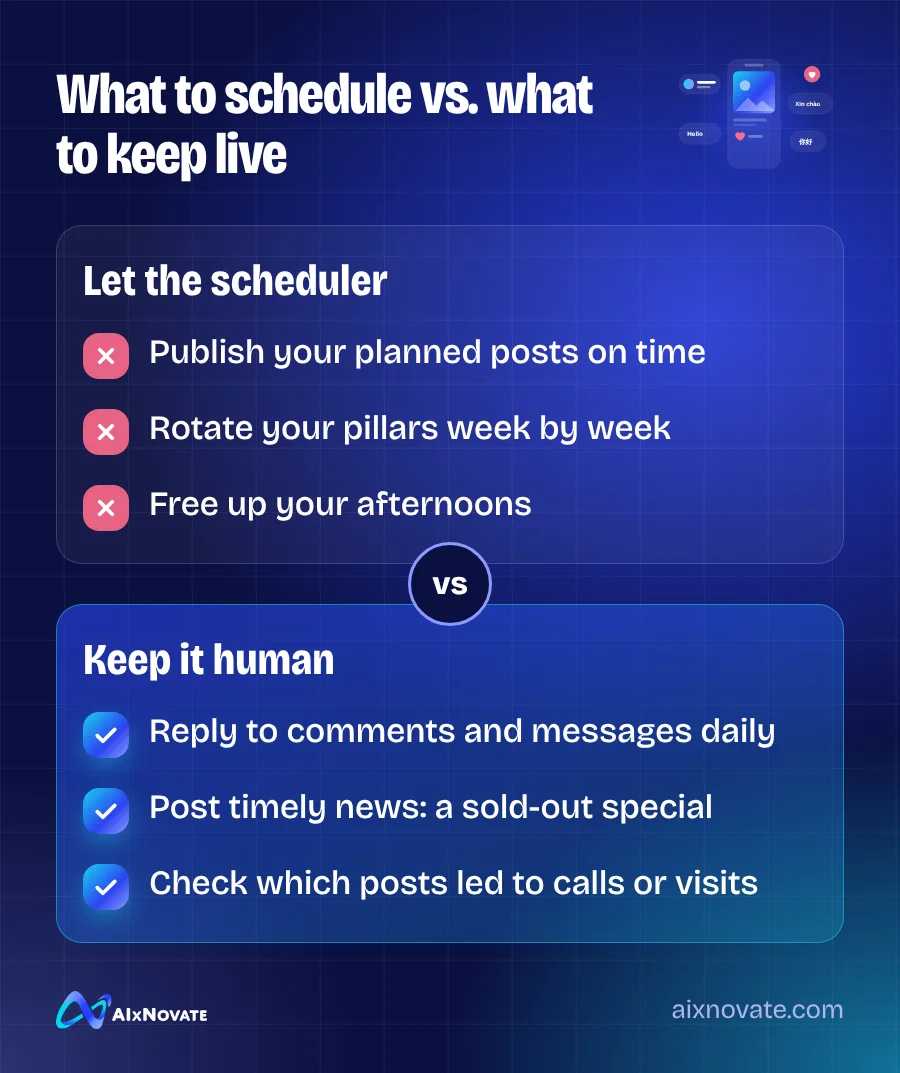
At the end of the month, look back at which posts led to messages, calls, bookings or visits, not just likes. Ask the AI to help you compare the top and bottom performers and suggest what to try next month. Keep what worked, drop what didn't, and your next afternoon session will go faster.
Scheduling saves time, but replies should stay human. Set a daily 10-minute window to answer comments and messages. That interaction is often where a follower becomes a customer.
Making it work for Garden Grove businesses
Local relevance is what separates a neighborhood business feed from generic content. Mention the streets and landmarks your customers know, show your team speaking the languages your customers speak, and tie posts to local moments. A short clip from your shop on Garden Grove Boulevard says more than any AI-generated stock image.
For a deeper strategy beyond the calendar, read our guide to social media marketing in Garden Grove. If you're posting consistently and still not seeing customers, why daily posting isn't bringing sales covers the usual causes. And when you want someone to run the calendar with you, that's the day-to-day work of our social media marketing team.
Frequently asked questions
How many posts per month should a small business plan?
There is no universal number. Consistency matters more than volume, so choose a pace you can sustain with good photos and timely replies. Many small businesses do well with three to five quality posts a week on their main platform. Posting daily with weak content and no engagement usually does less than fewer, better posts.
Can AI create the images for my posts too?
It can, but use it carefully. AI images work for graphics, backgrounds and illustrations. For dishes, products, services and results, use real photos so customers know what to expect. Presenting AI images as real food, real customers or real results can mislead people and damage trust. Use AI tools to edit and resize real photos instead.
Which scheduling tool should I use?
Start with the free tools built into the platforms you use most, such as Meta's planner for Facebook and Instagram. If you post on several platforms, a third-party scheduler can save time. Pick one tool, connect only the accounts you actively manage, and make sure someone still checks comments and messages daily.
If you'd like help setting up a content system your team can keep running, book a free 30-minute consultation, or learn about our digital and social media marketing services.